Tips and pooling
Tips that are easy to leave and fair to share.
Guests pick a tip in one tap, or no tip at all. You decide the choices and the rules. Then tips go to the server, into a shared pool, or a part of each. Each week a tips manager enters hours or points and signs, and the pool is shared out to the cent.
- No tip
- a choice guests always see
- 3
- ways to share: direct, pooled or both
- Weekly
- pool, shared out to the cent
Rules your team can trust.
Your tip choices
Set the percentages guests see, which one is preselected, and whether they can enter their own amount.
With a service charge
When the bill already carries a service charge, ask as usual, skip the tip, or suggest only the difference up to your target.
A gentle check
Guests who pick a small tip can be asked once to confirm it. They can always keep it.
Who doesn't take tips
Bills served by a role or a person who doesn't take tips skip the tip step.
Direct, pooled or both
Tips go to the server of the check, into a pool, or a share of each. Set a default and change it per person.
A pool shared by your rules
By hours, days or shifts worked (you enter them), points, fixed amounts or equally, and between groups such as floor and kitchen first.
From the guest's tap to each person's share.

Step 1 of 6
The guest picks a tip
Your choices, their own amount, or no tip.

Step 2 of 6
You set the choices
Percentages, the preselected one, the low-tip check and what happens with a service charge.

Step 3 of 6
You set the policy
Direct, pooled or both, the basis for sharing, groups and who takes part.

Step 4 of 6
Where every tip went
Tips by person: kept directly, sent to the pool and refunded.

Step 5 of 6
Share the week's pool
Enter hours or points, check the shares and sign. The whole pool is always handed out.

Step 6 of 6
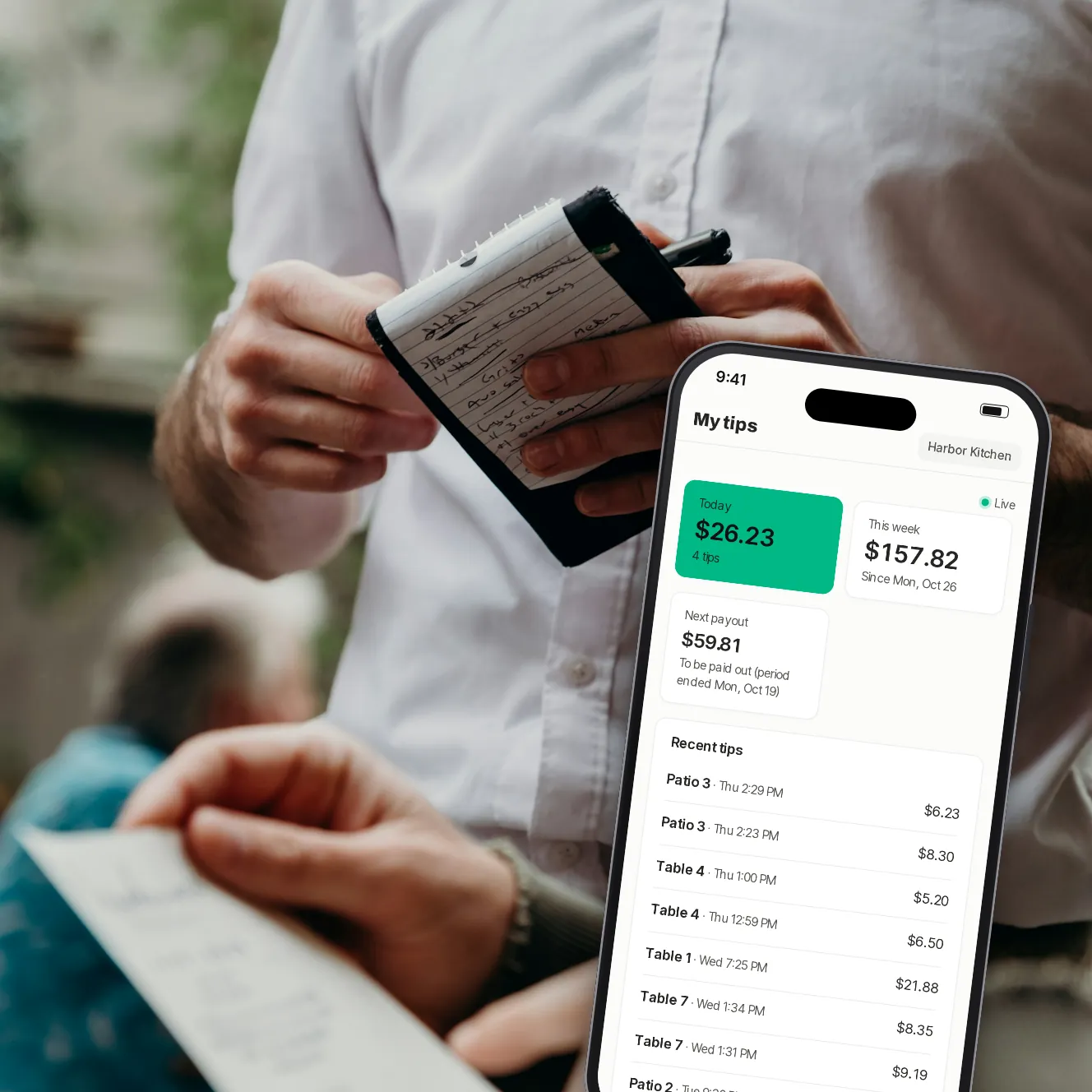
Each server sees theirs
Today's and this week's tips, table by table, and their part of the pool, in the staff app.
The parts that keep it fair.
Only tips you offered
We refuse a tip the guest wasn't offered, so the rules on screen are the rules applied.
Refunds come off
A refunded tip is taken out of what's shared.
Changes apply from now
A new policy applies to tips paid from then on; weeks already over keep the policy they had.
An unshared pool
A week's pool still not shared after a set number of days is split equally between everyone in the policy, the next time a tips manager opens the tips pages.
Kitchen staff too
Add people without a server role, such as the kitchen, to share the pool.
Kept private
Only owners and tips managers see the tips pages. Servers see their own.
Your questions
Can guests skip the tip?
Yes. No tip is always a choice on the screen, and no setting can hide it.
Does Paytabl pay my staff their share?
No. Tips are paid to your restaurant's own account with the bill. Paytabl works out each person's share, and each person sees theirs in the staff app; you pay it out the way you pay tips today.
How are servers matched to their tables?
By the server name on your POS, set once per person on the Team page.
Who can change the tip policy?
Owners and tips managers. Only an owner can give someone the tips manager role.
Do you promise bigger tips?
No. We have no figures to show yet. We make tipping quick and clear, and the choices are yours.
Book a demo
Let's set it up for your restaurant.
Tell us about your restaurant and we'll walk you through Paytabl on a live demo bill: the guest's phone, the staff app and the dashboard, with your POS in mind.