Staff app
Your servers see every table settle, as it happens.
The staff app shows each table's bill and payments live, sends an alert when something needs a person, and keeps each server's tips in view. It installs from the browser: no app store, no device to buy.
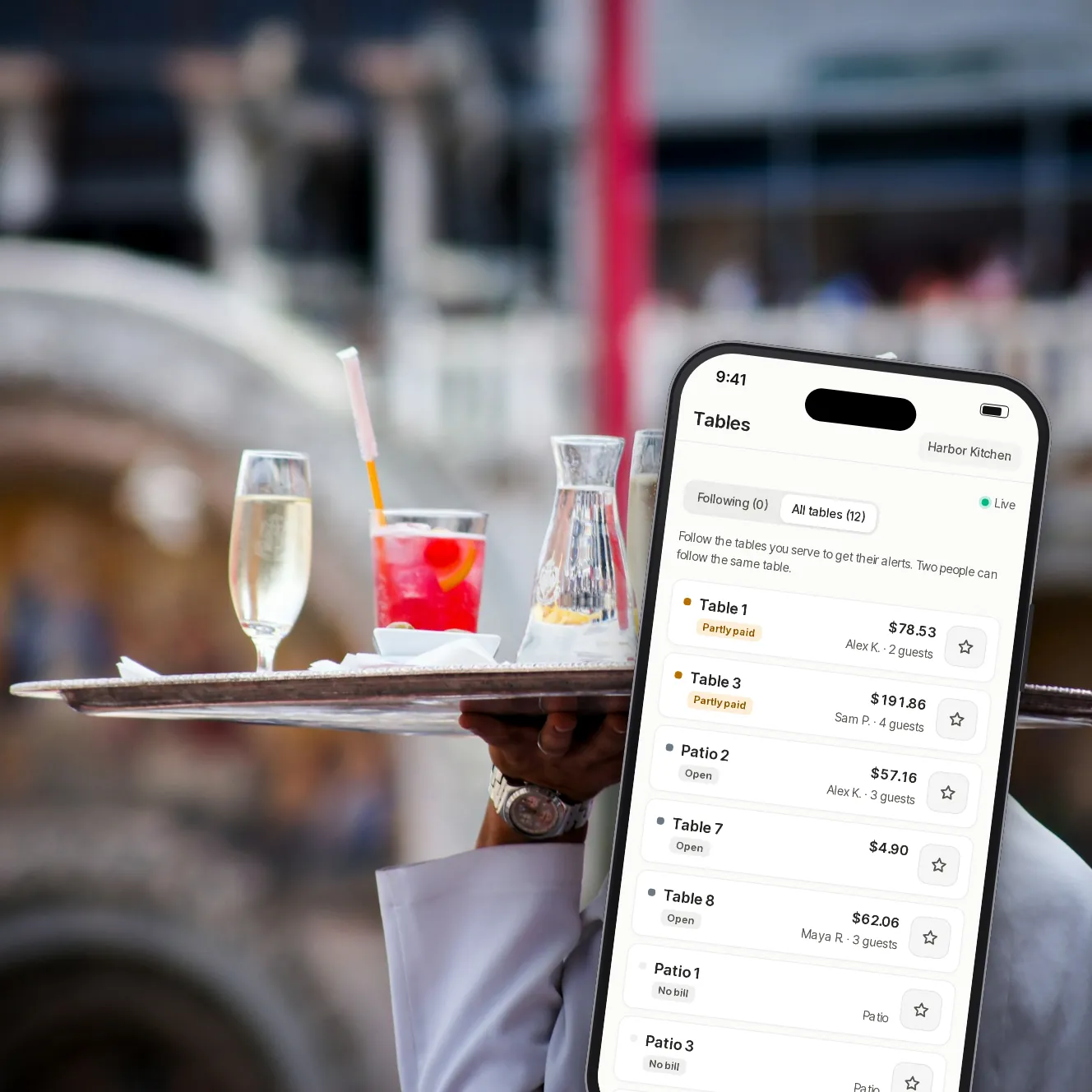
- Live
- bills and payments, table by table
- Urgent
- alerts for walkouts and possible fraud
- 0
- app stores to go through
Less walking back and forth.
Follow your tables
Each server follows the tables they're serving and gets their alerts. Two people can follow the same table.
Alerts that need a person
Declined cards, possible fraud, walkouts, orders that didn't reach the POS and payments missing on the POS. The urgent ones reach the managers too.
Refunds with limits
Servers refund up to an amount you set, within a set time after the payment. Above that, a manager approves it from their phone.
Each server's tips
Today's and this week's tips, table by table, and their part of the tip pool once a manager shares it out.
Cash at the table
Mark items paid in cash: they go on the POS as cash, and the guests' phones show them as paid.
Walkouts, reported
A server reports a walkout from the table. A manager confirms it, and it goes to the dashboard's recoveries.
A shift, on one phone.

Step 1 of 5
Activity
Payments, tips and ratings on your tables, as they happen.

Step 2 of 5
Tables
Every table at a glance: no bill, open, partly paid or paid.

Step 3 of 5
A table's bill
Items, payments and what's on the POS, with the actions for that table.

Step 4 of 5
A refund in a few taps
All of a payment or part of it, with a reason the guest won't see.

Step 5 of 5
My tips
Tips today and this week, and pool payouts when they're shared out.
Built for a busy floor.
Alerts with the app closed
Turn on alerts on each phone, and mute the kinds you don't need. Urgent alerts always come through.
Show the table's QR
Hold up a table's code for a guest to scan and pay.
Approvals
Managers approve refunds over a server's limit, walkout reports and requests to join, all in one list.
Pause phone payments
Managers can pause paying by phone for the venue, and resume it, from the More tab.
Invite your team
Send someone an invite link, or show a join code in the room and approve each request.
The right view for each role
Servers see the tables and their own tips; tips managers see tips only; managers see it all.
Sign in without a password
A 6-digit code by email. Anyone can add an authenticator app or text codes on top.
Your questions
Do servers need to download anything?
No. The staff app opens in the phone's browser and can be added to the Home Screen for a full-screen view and alerts.
Which phones does it work on?
Recent iPhones and Android phones with an up-to-date browser. On an iPhone, alerts need the app added to the Home Screen first.
Who can refund a payment?
Owners and managers refund directly. Servers refund up to a limit you set ($50 unless you change it) within a set time after the payment; above that, they ask a manager.
How do people join the team?
A manager makes an invite link for one person, or shows a join code in the room. Each request to join is approved in the app.
Does it replace the POS?
No. It works beside your POS: orders and payments still end up there, and the staff app shows what's going on.
Book a demo
Let's set it up for your restaurant.
Tell us about your restaurant and we'll walk you through Paytabl on a live demo bill: the guest's phone, the staff app and the dashboard, with your POS in mind.