Pay at the table
Guests pay when they're ready, not when you're free.
Guests scan the QR code on the table and see the live bill from your POS. They split it, tip and pay with Apple Pay, Google Pay or a card, and the payment lands on the check with its tip. No app to download.
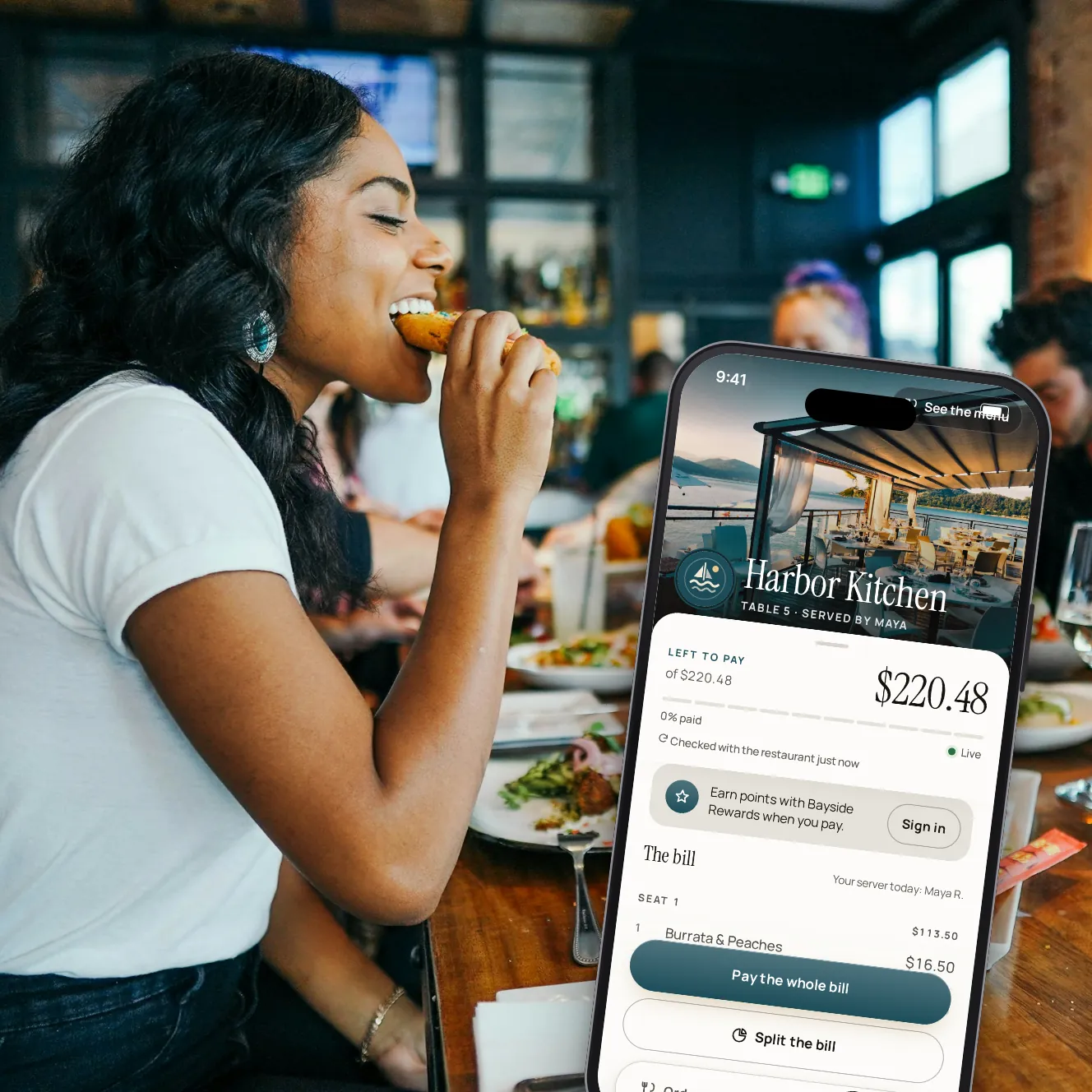
- Live
- bill read from your POS
- 0
- apps for guests to download
- 0.5%
- guest service fee, shown before paying
What changes at the end of the meal.
No waiting for the check
Guests pay in their own time. The table shows as paid on your servers' phones the moment it is.
Splits the guests sort out
The whole bill, what's left, their own items, an even share or a set amount. Seats and split checks from your POS carry through.
Tips on your terms
You set the tip choices, which one is preselected, and whether guests can enter their own amount. Guests can always choose no tip.
Payments on the POS
Each payment goes onto the check as a tender with its tip, so the balance on the POS stays right and nobody keys it in.
A bill that's current
An older bill is read again from the POS before anyone pays. If its totals don't add up, paying by phone stops and your team is told.
Receipts without paper
Guests get their receipt by email or as a PDF. A bill printed by the POS can carry its own QR code.
From the QR code to a paid table.

Step 1 of 6
Scan the code
The code on the table, or on the printed bill, opens the live bill in the phone's browser.

Step 2 of 6
Choose how to pay
Pay the whole bill or what's left, or split it: by item, evenly or by amount.

Step 3 of 6
Pick what you had
Tap dishes and drinks, or a whole seat. Anything someone else is paying for shows as taken.

Step 4 of 6
Add a tip, or not
One of the restaurant's tip choices, another amount, or no tip.

Step 5 of 6
Pay with a wallet or card
Apple Pay, Google Pay, Link or a card. Card details go straight to the payment processor.

Step 6 of 6
Done, and the team knows
The guest sees what's left for the table and can send the bill on. The server's phone shows the payment.
The details that make it work.
Express checkout
When you turn it on, guests can pay the whole bill with the proposed tip in one step.
Low-tip check
Ask guests to confirm a tip below a rate you choose, or below your lowest tip choice.
Service charges
When the POS bill carries a service charge, ask for a tip as usual, skip it, or offer only the difference to your target.
Small bills
Below an amount you set, the tip choices switch to fixed amounts, so a coffee isn't offered a 20¢ tip.
Servers who don't take tips
Pick the roles or people whose tables skip the tip step.
Two phones, one bill
An item or share is reserved while someone pays for it, so two guests never pay for the same thing.
Declined cards
A declined card isn't a dead end: the guest tries another one, and their share stays reserved.
Pause it any time
A manager can pause paying by phone from the staff app. Guests are asked to pay their server until it's back on.
Your questions
Do guests need an app or an account?
No. The bill opens in the phone's browser. Guests can sign in with their phone number to collect points, but paying never needs it.
Which POS systems does it work with?
Square is a confirmed POS partner, and its connection is coming soon. Other POS systems are still to confirm, and none is live yet. Until your POS is connected, Paytabl works on its own: staff key the bill in, and guests scan and pay.
What do guests pay?
Their share, the tip they choose and, by default, a 0.5% service fee on their share and tip. The fee is shown as its own line before they pay.
Where does the money go?
Payments run on your restaurant's own Stripe account and pay out to your bank. Card processing is what Stripe charges that account; we add nothing to it.
What if two guests try to pay for the same thing?
The first one to start paying reserves it. The other guest sees it as being paid, and the bill updates on both phones.
Can part of a table pay and the rest pay their server?
Yes. Whatever isn't paid by phone stays on the bill, and your server takes it the usual way. Cash at the table can be marked paid from the staff app.
Book a demo
Let's set it up for your restaurant.
Tell us about your restaurant and we'll walk you through Paytabl on a live demo bill: the guest's phone, the staff app and the dashboard, with your POS in mind.