Order from the table
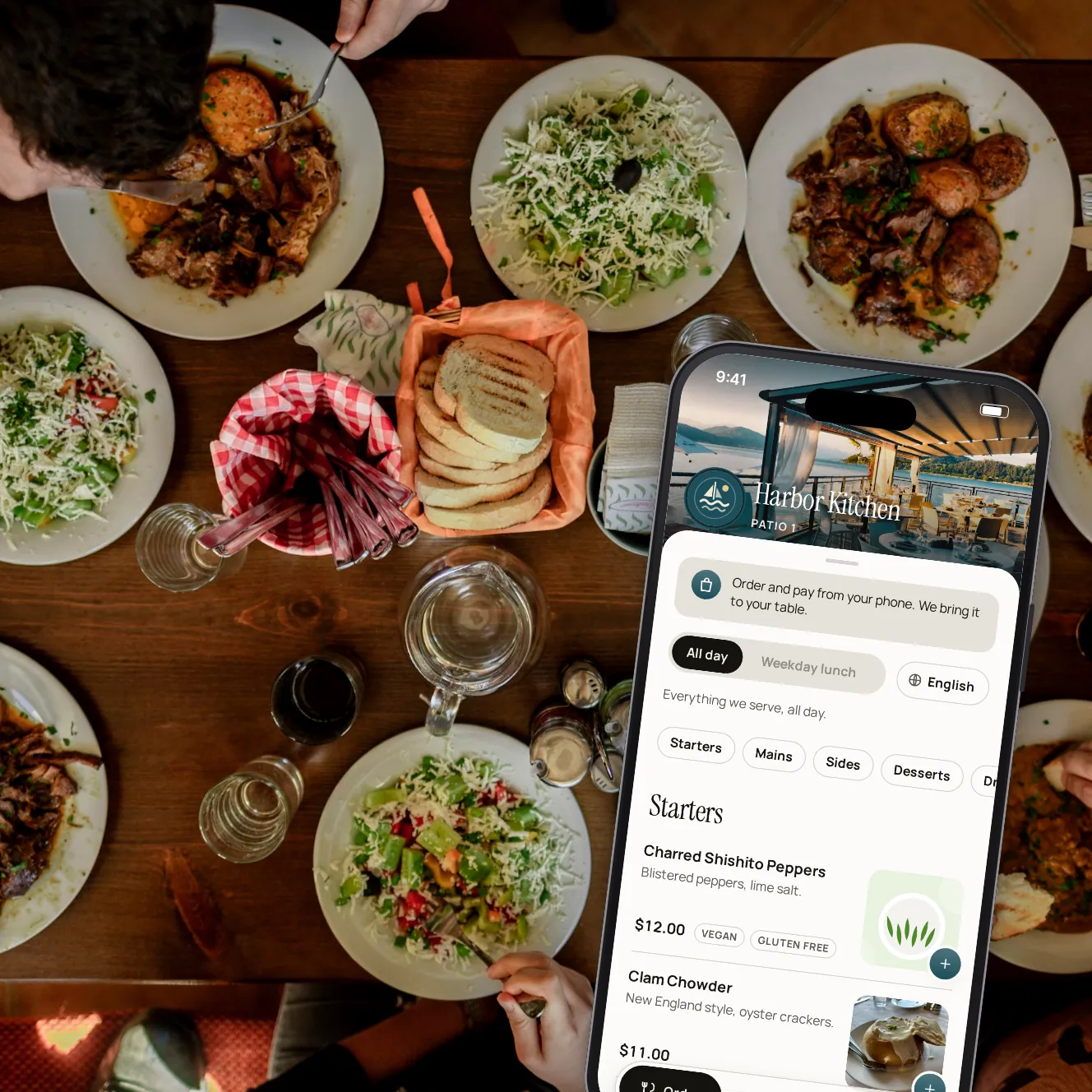
The menu on the table, the order on the POS.
Guests browse your menu on their phone and order when they like. They pay as they order, or add every round to a tab and settle it at the end. Each order goes to your POS, so the kitchen gets it the usual way.
- Pay first
- or pay at the end
- Table
- service or counter pickup
- Per area
- the bar and the dining room can differ
Run it the way your floor works.
Pay as you order
Each order is paid when it's placed. Staff bring it to the table, or guests collect it at the counter when their phone says it's ready.
Open tabs, with a card hold
The first order places a temporary hold on the guest's card. Every round joins the same bill, paid at the end. If a tab walks out, a manager can charge what's left to the hold.
Reorder only
Your server opens the bill and takes the first order. After that, guests add rounds from their phone and pay at the end.
Your menu, as you set it
Menus and items follow your schedules. Sold-out and hidden items can't be ordered, and allergens and dietary tags show on every item.
Suggestions that fit
Offer a side when a guest adds a dish, and a few extras before they confirm. Only items with a photo are suggested.
One setting per area
The bar can take pay-first orders while the dining room runs tabs, and a terrace can keep the menu for reading only.
An order, from the first tap to the kitchen.

Step 1 of 6
Open the menu
Guests scan the code on the table and see what's available right now.

Step 2 of 6
Choose and adjust
Required choices, extras and a note for the kitchen, on each item.

Step 3 of 6
A side that goes with it
Add a suggestion in one tap, or say no thanks.

Step 4 of 6
Review and pay
Tip and fee are shown before paying with Apple Pay, Google Pay or a card.

Step 5 of 6
Follow the order
The order goes to the POS, and its status updates on the phone.

Step 6 of 6
Or put it on the tab
On a tab, the order is added to the table's bill, paid when the guests are done.
Everything around the order.
Live order status
Received, with the kitchen, ready: the guest's phone follows the order.
Sold out means sold out
Mark an item sold out, or let the POS say it's unavailable, and it can't be ordered.
Menus by the hour
Brunch, lunch and late-night menus show only when they're served.
Allergens and tags
Twelve allergens and tags such as vegan, gluten free or spicy, on every item.
Menus in other languages
Give items a translation and guests can switch the menu's language.
PDF menus too
Show a menu as a PDF or a link when you'd rather not list its items.
Alerts for your team
Staff hear about new orders, and an order that didn't reach the POS reaches the managers too.
Group pre-orders
Large groups can choose their arrival time, order for the table and pay ahead.
Your questions
How does an order reach the kitchen?
Through your POS. A paid order goes in as a check of its own, and a tab order joins the table's open check, so the kitchen gets it like any other order.
Does ordering need a POS connection?
Yes. Every order goes to your kitchen through your POS, as a check of its own or on the table's open check, so ordering needs a connected POS that takes orders. Square is a confirmed partner and its connection is coming soon; until then, we'll show you every step on our demo restaurant.
What if an order doesn't reach the POS?
The guest is told, and the table's staff and the managers get an alert to enter it on the POS by hand.
Is the card hold a charge?
No. It's a temporary hold on the guest's card, released once the bill is paid. You set the amount; with no amount, there's no hold.
Can guests still order with a server?
Of course. Ordering by phone sits beside your servers, and you can keep the menu for reading only in any area.
Can guests order ahead for pickup?
Yes, with click and collect: guests pick a pickup slot and pay before it's made.
Which POS systems does it work with?
Square is a confirmed POS partner, and its connection is coming soon. Other POS systems are still to confirm, and none is live yet. Until your POS is connected, paying at the table works on its own (staff key the bill in, and guests scan and pay), but ordering waits for the connection.
Book a demo
Let's set it up for your restaurant.
Tell us about your restaurant and we'll walk you through Paytabl on a live demo bill: the guest's phone, the staff app and the dashboard, with your POS in mind.