Guest accounts and points
A reason to come back, without another app.
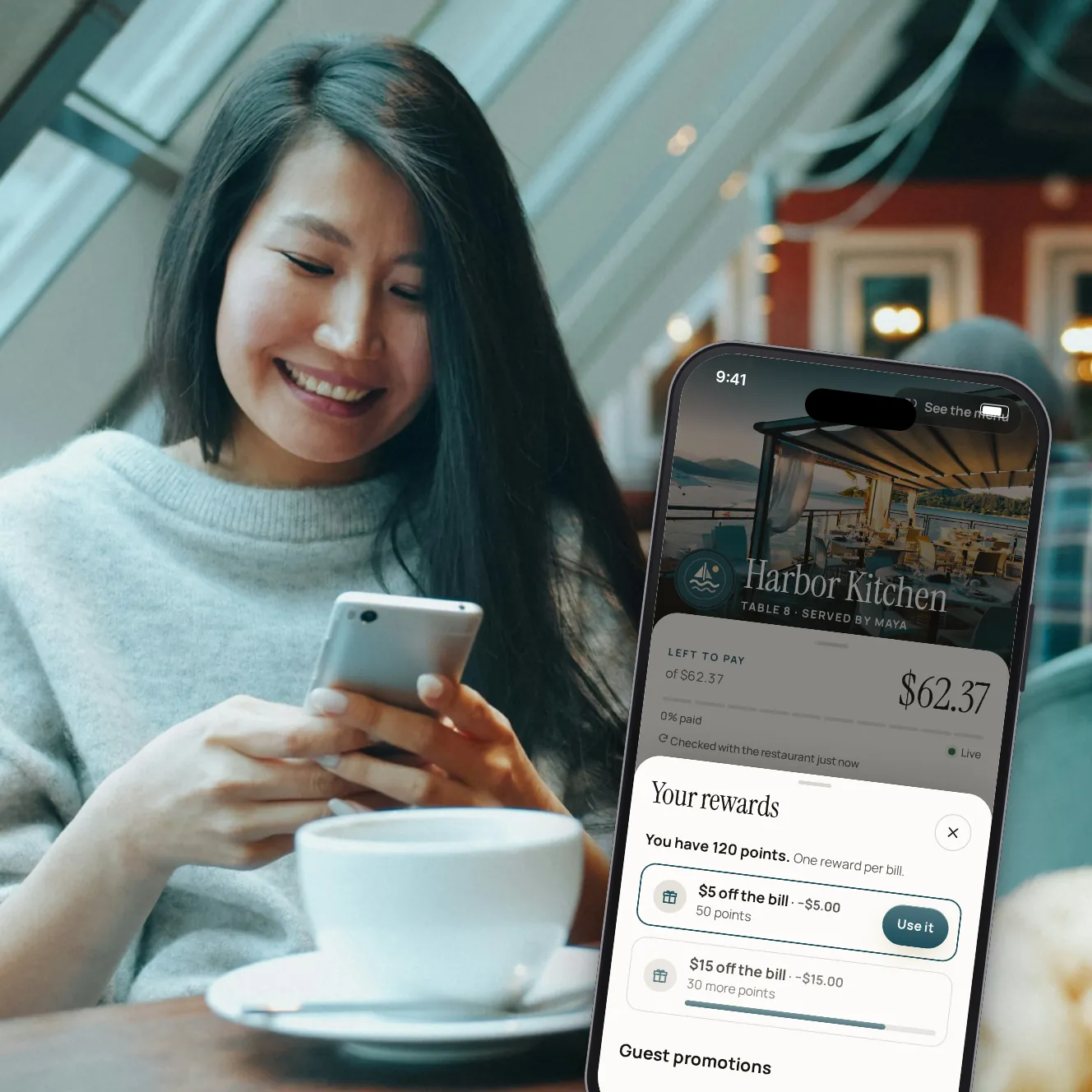
Guests who want one sign in with their phone number. They collect points on every bill they pay, use a reward on the next one, keep a card for one-tap paying and find every receipt in one place. Everyone else pays exactly as before.
Coming laterGuests sign in with a code we text them. Sending texts is coming later, so accounts open to guests once it's live. We'll show you every step in a demo.
- 0
- accounts needed to pay
- Per $
- or per visit: you choose how points are earned
- Venue
- or group: one programme for every venue
Loyalty that lives on the bill.
Points as they pay
Points per dollar of the bill, never on tips or fees, or a set number per visit, once per check.
Rewards off the bill
Guests trade points for an amount off. It goes on the bill as a discount on your POS, and the points come back if the POS refuses it.
Picked ahead
Guests choose a reward in their wallet, and it comes off the next bill when they pay.
One programme or several
Run a programme for the whole group, or give a venue its own. A venue's own programme wins there.
Cards saved for next time
Ticking "keep this card" saves it with Stripe, on your venue's account, for one-tap paying there next time.
Every receipt
Visits and receipts in one list, with a PDF of each, and points earned on each visit.
A guest's account, step by step.

Step 1 of 5
Points offered after paying
The thank-you screen shows the points this payment earns, for guests who sign in.

Step 2 of 5
Sign in with an email address
A 6-digit code by email, no password. The same steps create the account.

Step 3 of 5
Points and rewards
The balance, what's in reach and a reward to use on the bill.

Step 4 of 5
The account
Points at each programme, visits and receipts, saved cards and marketing choices.

Step 5 of 5
Your programme
Points per dollar or per visit, and the rewards guests can choose.
Built with guests' trust in mind.
Never in the way
Paying never asks for an account. Signing in after paying still adds the points.
Consent, channel by channel
Guests choose whether each restaurant may email them, kept with the exact words they agreed to.
Their data, theirs
Guests download everything we keep about them, or delete their account, from the account page.
Cards stay where they were saved
A card saved at one venue pays only there.
In the group app
Signed-in guests find their points wallet in your group's guest app.
Paytronix
Points kept in a Paytronix programme you already run.
Coming laterTexted sign-in codes
The 6-digit code sent to the guest's phone.
Coming later
Your questions
Do guests have to sign up to pay?
Never. An account is optional, and everyone pays the same way with or without one.
When can my guests sign in?
Once texting is live: sign-in uses a code we text to the guest's phone, and sending texts is coming later. Until then, we'll show you every step in a demo.
How do rewards reach my POS?
As a discount on the guest's check, labelled with the reward. If your POS turns it down, the guest gets their points back.
Can I keep my current loyalty programme?
A Paytronix connection is coming later. Today, points are kept by Paytabl.
Who sees a guest's phone number?
The restaurant sees it in full only if the guest agreed to texts from them.
Book a demo
Let's set it up for your restaurant.
Tell us about your restaurant and we'll walk you through Paytabl on a live demo bill: the guest's phone, the staff app and the dashboard, with your POS in mind.